Upload an image and click 'Generate 3D' to create a 3D model with Trellis 2
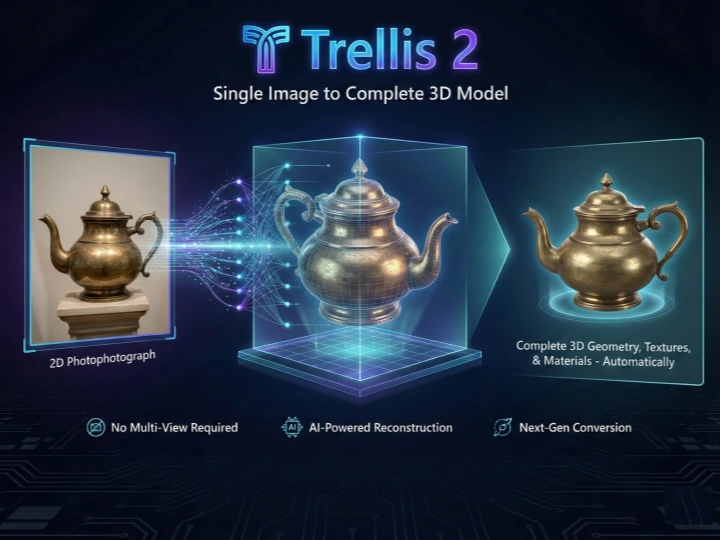
Trellis 2: Single Image to Complete 3D Model
Trellis 2 revolutionizes 3D content creation by generating complete 3D models from just one image. Microsoft's groundbreaking Trellis 2 AI technology analyzes your image and reconstructs detailed geometry, textures, and materials automatically. No multi-view photography or 3D scanning required—Trellis 2 handles everything with a single upload. Experience the next generation of image to 3D conversion with Trellis 2 online.

High-Quality 3D Assets with Trellis 2 Technology
Trellis 2 produces professional-grade 3D models ready for production use. Configure output resolution up to 1536px, texture quality up to 4K, and mesh complexity up to 800K vertices. Trellis 2's native 3D generation approach ensures accurate geometry and clean topology. Whether you need assets for games, AR/VR, or product visualization, Trellis 2 delivers production-ready results every time.
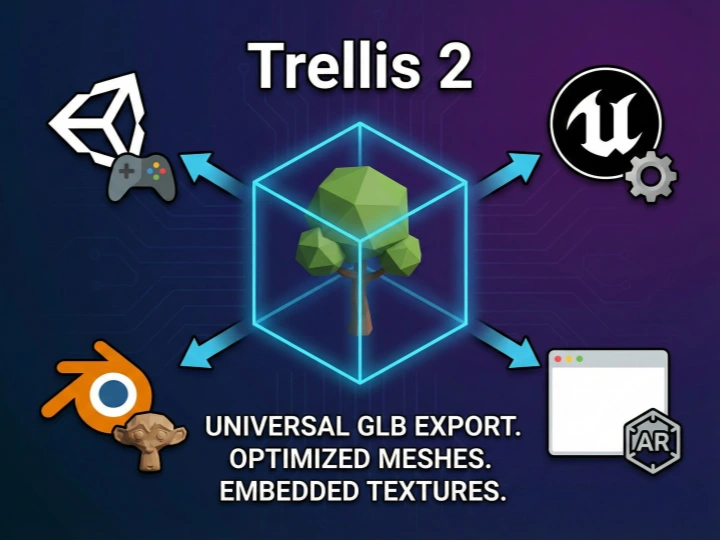
Universal GLB Export from Trellis 2
Trellis 2 exports your 3D models in GLB format—the industry standard for 3D content. GLB files from Trellis 2 work seamlessly in Unity, Unreal Engine, Blender, and web-based 3D viewers. Import your Trellis 2 creations directly into game engines, 3D printing software, or AR applications. Trellis 2's GLB output includes optimized meshes and embedded textures for maximum compatibility.
Create 3D Models with Trellis 2 in 3 Simple Steps
Trellis 2 makes 3D generation effortless. No 3D modeling skills needed—just upload, configure, and generate.
Upload Your Image to Trellis 2
Drag and drop any photo into the Trellis 2 tool. Trellis 2 accepts JPG, PNG, and WEBP formats up to 20MB. For best results with Trellis 2, use images with clear subjects and good lighting.
Configure Trellis 2 Parameters
Customize your Trellis 2 output: choose resolution (512-1536), texture quality (1K-4K), and mesh complexity. Higher settings in Trellis 2 produce more detailed models but take longer to generate.
Generate and Download
Click 'Generate 3D' and let Trellis 2 work its magic. Preview your 3D model in our interactive viewer, then download the GLB file. Your Trellis 2 creation is ready for any 3D application.
Trellis 2 Applications Across Industries
From game development to e-commerce, Trellis 2 powers 3D content creation for professionals and hobbyists alike.
Game Asset Creation with Trellis 2
Generate game-ready 3D assets using Trellis 2 from concept art or reference photos. Trellis 2's GLB output works directly in Unity and Unreal Engine. Speed up your game development pipeline with Trellis 2's instant 3D generation.
3D Printing with Trellis 2
Convert product photos to 3D printable models with Trellis 2. Create custom figurines, replacement parts, or prototype designs. Trellis 2 generates watertight meshes suitable for slicing software and 3D printers.
AR/VR Content via Trellis 2
Build immersive AR and VR experiences using Trellis 2 generated assets. Transform real-world objects into virtual 3D models. Trellis 2's optimized GLB files ensure smooth performance in AR/VR applications.
E-commerce 3D with Trellis 2
Enhance your online store with 3D product views powered by Trellis 2. Let customers rotate and examine products from every angle. Trellis 2 helps increase engagement and reduce return rates.
Digital Art Creation
Artists can transform 2D artwork into 3D using Trellis 2's advanced AI. Create unique 3D collectibles, animated displays, or mixed-media pieces. Trellis 2 opens new creative possibilities for digital artists.
Educational 3D Models
Create 3D visualizations of specimens, artifacts, or diagrams with Trellis 2. Educators and researchers can use Trellis 2 online to bring concepts to life in three dimensions without expensive equipment.
Trellis 2 vs Traditional 3D Creation Methods
See why Trellis 2 is revolutionizing 3D content creation compared to conventional approaches.
Trellis 2 - Frequently Asked Questions
Everything you need to know about using Trellis 2 for image to 3D conversion.